Free Shipping on Selected Orders Over $450.•Volume & Project Pricing Available.•Purchase Orders Accepted for Approved Accounts.•B2B Solutions for Business & Institutional Buyers.•Request a Quote for Large or Special Orders.•Free Shipping on Selected Orders Over $450.•Volume & Project Pricing Available.•Purchase Orders Accepted for Approved Accounts.•B2B Solutions for Business & Institutional Buyers.•Request a Quote for Large or Special Orders.•
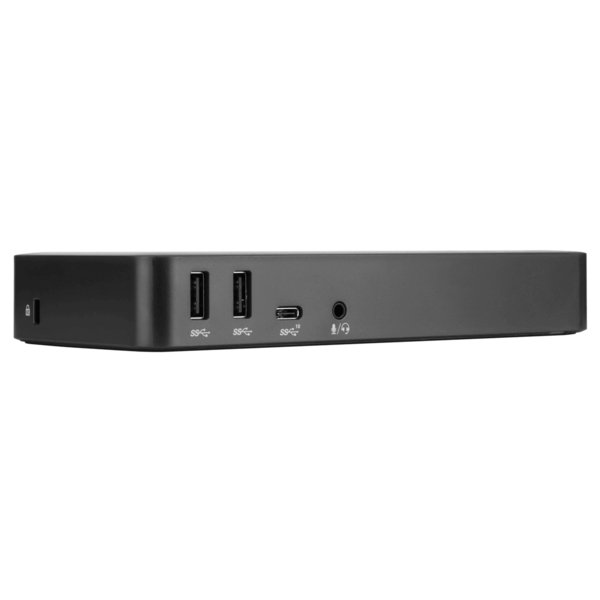
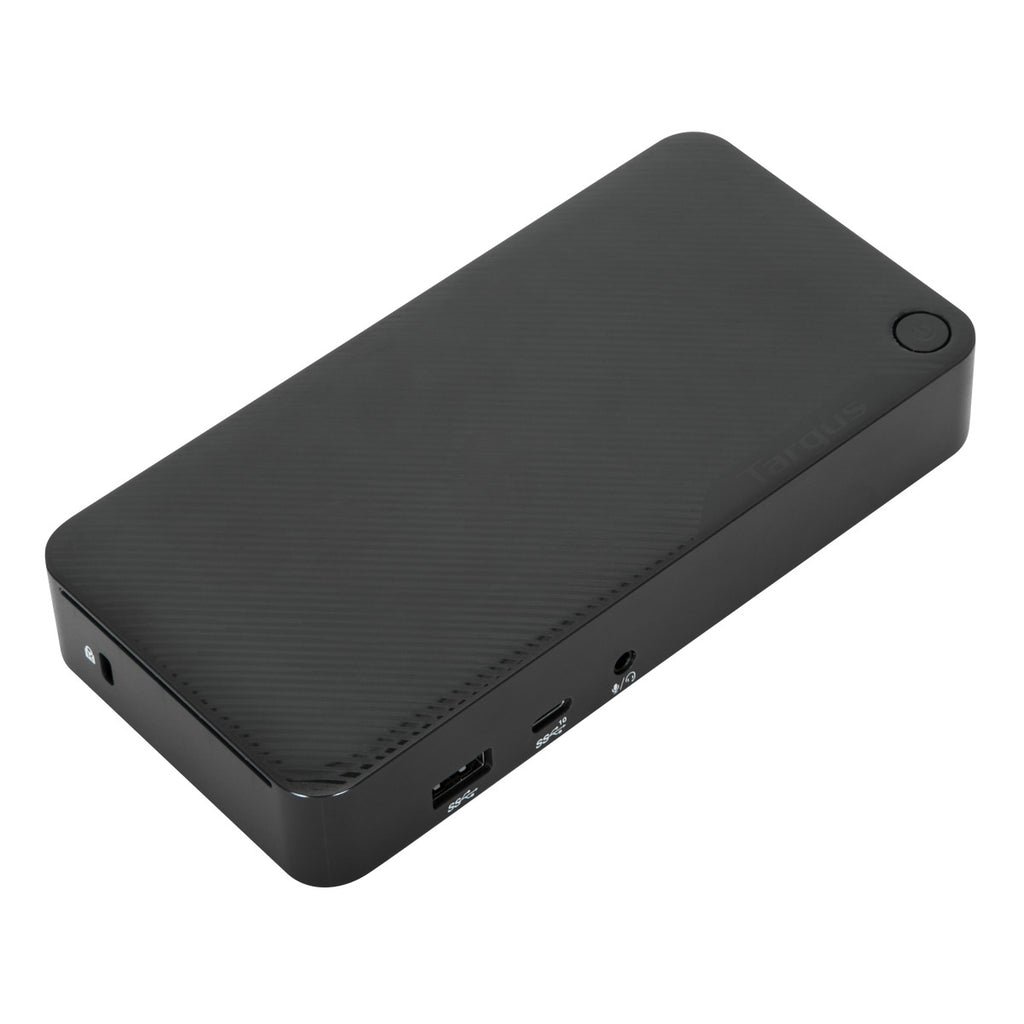
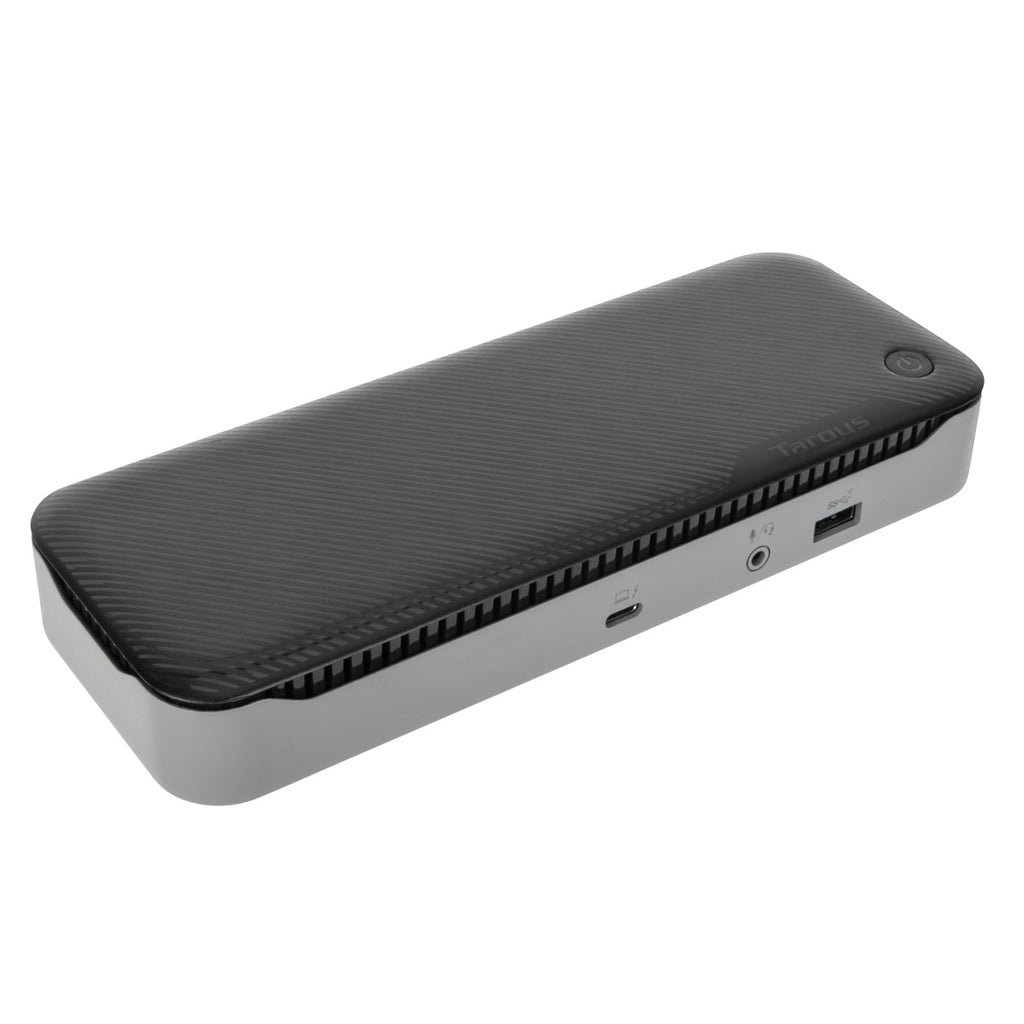
Create a more powerful, productive workstation with the Targus USB-C™ DisplayPort™ Alt. Mode Docking Station with 85W Power. Sleek and powerful this Alternate Mode hosts packs all of the ports and power you need in one dock. Designed to support a wide variety of laptop brands and operating systems, DOCK430 offers broad compatibility for a range of hosts, devices and peripherals.
Enjoy crisp, clear native video while supporting a connection up to three monitors. With two DisplayPort™ 1.4 ports and one HDMI 2.0 port, you’re able to support three monitors (1920x1080 p60), two monitors (2560x1440 p60) or one monitor (3840x2160 p60) and various lower resolutions. Plus connect all your favorite accessories with a combination of USB-A (4 USB 3.2 Gen1 ports, 1 fast-charging) and USB-C (1x 3.2 Gen2), plus Ethernet and audio ports.
Designed for the modern workstation, the dock comes equipped with a VESA bracket mounting provision, which allows for use of the Targus VESA Mount Bracket (ACX003GLZ – sold separately) to hold your dock behind your display for even greater space savings.
Supports Two DisplayPort™ and One HDMI Monitor Access the latest display technology with two DisplayPort™ and HDMI ports that creates a rich, high-definition viewing experience. The USB-C™ DisplayPort™ Alt. Mode Docking Station with 85W Power supports full UHD (3840x2160 p60) resolution in single display and resolutions of up to 2560x1440 p60 in dual video mode – and even 1920x1080 p60 with three monitors.
Enhanced Power Delivery The USB-C™ DisplayPort™ Alt. Mode Docking Station provides up to 85W of USB Type-C Power Delivery at all popular voltages including 5, 9, 12, 15, and 20Vdc. DOCK430 will negotiate a Type-C Power Delivery contract with multiple platforms including PC, MacBook, Chromebook, and even popular Android phones.
Onboard USB 3.0 for Advanced Peripherals and Charging Multiple onboard USB ports make it easy to customize workspaces with the latest keyboards, external drives, and other essential peripherals. Efficient charging is close at hand with one powered USB 3.2 Gen1 port for keeping smartphone, tablet, or other devices powered up and ready to go.
Product Specifications
Manufacturer
Targus
Manufacturer Part Number
DOCK430USZ
GTIN / Barcode
0092636336127
Brand Name
Targus
Product Name
Targus DOCK430USZ laptop dock/port replicator Wired Black
Mfr. Part Number
DOCK430USZ
GTIN / Barcode
0092636336127
Ports & interfaces
Connectivity technology
Wired
USB 3.2 Gen 1 (3.1 Gen 1) Type-A ports quantity
4
USB 3.2 Gen 2 (3.1 Gen 2) Type-C ports quantity
1
HDMI ports quantity
1
HDMI version
2.0
DisplayPorts quantity
2
Microphone in
Yes
Combo headphone/mic port
Yes
Headphone outputs
1
Headphone connectivity
3.5 mm
Network
Ethernet LAN
Yes
Ethernet LAN (RJ-45) ports
1
Ethernet LAN data rates
10,100,1000 Mbit/s
Performance
Card reader integrated
No
Maximum digital resolution
3840 x 2160 pixels
Number of displays supported
3
Cable lock slot
Yes
Cable lock slot type
Kensington
Product colour
Black
Charging function
Yes
Cooling
Built-in fan
No
Power
Power source type
AC, DC
Output voltage
20 V
Output current
6.75 A
Power consumption (max)
135 W
Software
Windows operating systems supported
Yes
Mac operating systems supported
Yes
Mobile operating systems supported
Android
Weight & dimensions
Width
180 mm
Depth
27 mm
Height
82 mm
Weight
285 g
Packaging data
Quantity per pack
1 pc(s)
Packaging content
Mounting brackets included
No
AC adapter included
Yes
User guide
Yes
Brand
Targus
Availability
In Stock
Price Currency
USD
Category
Laptops & Notebooks
Customer reviews
No reviews yet. If you have bought this,
yours would be the first.
We use cookies and similar technologies to operate our website, maintain security, remember preferences, analyze site performance, and improve your browsing experience. Some cookies are essential for website functionality, while others may support analytics and marketing activities. By selecting “Accept All,” you consent to the use of optional cookies. You may manage or reject non-essential cookies through your cookie settings at any time. Learn more