Free Shipping on Selected Orders Over $450.•Volume & Project Pricing Available.•Purchase Orders Accepted for Approved Accounts.•B2B Solutions for Business & Institutional Buyers.•Request a Quote for Large or Special Orders.•Free Shipping on Selected Orders Over $450.•Volume & Project Pricing Available.•Purchase Orders Accepted for Approved Accounts.•B2B Solutions for Business & Institutional Buyers.•Request a Quote for Large or Special Orders.•
Home/Computers & IT Hardware/Laptops & Notebooks/StarTech.com USB C Dock - USB-C to DisplayPort 4K 30Hz or VGA - 65W USB Power Delivery Charging - 4-Port USB 3.1 Gen 1 Hub - Universal USB-C Laptop Docking Station with Ethernet - TAA
StarTech.com
StarTech.com USB C Dock - USB-C to DisplayPort 4K 30Hz or VGA - 65W Power Delivery Charging -
Availability: In StockMfr. Part#: STA-DKM30CHDPD
$132.73Save 5% · $6.32
$126.41USD
Prices shown in USD. Taxes, duties and freight are quoted separately.
Call 856-283-0457 for volume pricing.
Business & Quantity Discounts Available
Flexible Terms for Qualified Organizations
Supporting Commercial, Government & Education Buyers
Laptop Docking Station | Mac, Windows® & Chrome OS™ | 65W Power Delivery | DisplayPort (4K 30Hz) or VGA (1080p 60Hz)
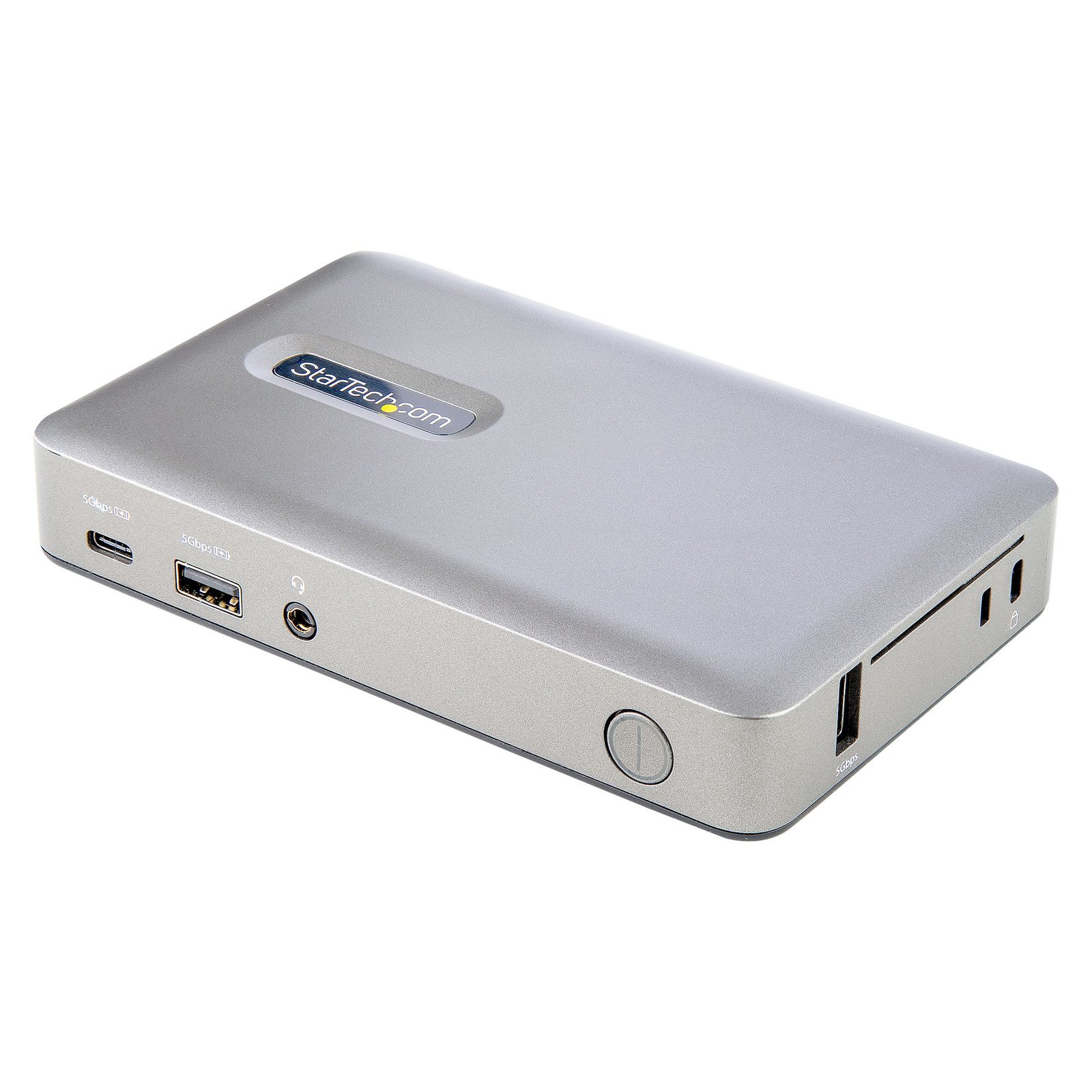
This USB-C docking station lets you use a single USB Type-C port on your laptop or tablet to add essential connectivity while charging your device via 65W USB Power Delivery 3.0. The dock enables you to connect your device to a single monitor of your choice between DisplayPort (4K 30Hz) or VGA (1080p 60Hz) video output. For peripheral connectivity the dock features three USB 3.1 Gen 1 (5Gbps) Type-A ports including a BC 1.2 port to power and charge your USB devices, a USB 3.1 Gen (5Gbps) Type-C port, a 3.5mm headset audio port, and Gigabit Ethernet.
Versatile Display Connectivity
The docking station features single video output with DisplayPort or VGA connectivity so you connect to different monitor depending upon your workstation -- ideal for home office IT deployment, where different monitors may be used by different users. The DisplayPort connection offers resolutions up to 4096x2160 (4K) 30Hz, while the VGA connection offers resolutions up to 1920x1200/1080p 60Hz.
Essential Port Connectivity
The docking station utilizes the versatile USB-C port on your computer port to provide a wide range of port connectivity to suit a variety of applications.
The dock features:
• 3x USB 3.1 Gen 1 (5Gbps) Type-A ports to connect USB peripheral devices, including a single port that supports BC 1.2 with 7.5W (1.5A) for charging tablets & smartphones, and a physically isolated HID USB port (side) that prevents electromagnetic interference (EMI) on your wireless keyboard/mouse adapters.
• 1x USB 3.1 Gen 1 (5Gbps) Type-C port to connect USB peripheral devices.
• 1x Gigabit Ethernet port with PXE boot and WoL to connect to a wired Local Area Network (LAN).
• 1x 3.5mm 4-position CTIA/OMTP TRRS Audio Jack to connect a 3.5mm headset.
65W USB Power Delivery
The docking station includes a 119.9W power adapter and supports 65W USB power delivery. This enables the dock to charge your connected laptop or tablet. Plus, the added power enables one of the USB-A ports to support BC 1.2, for charging tablets and smartphones.
Enhance Productivity and Device Management with the StarTech.com Connectivity Tools Application
Developed to improve performance and security, StarTech.com Connectivity Tools is the only software suite on the market that works with a wide range of IT connectivity accessories. The software suite includes:
• Advanced Windows Layout Utility : To setup and save custom windows layouts.
• Mac Address Pass-Through Utility : To improve network security.
• USB Event Monitoring Utility : To track and log connected USB devices
• >Wi-Fi Auto Switch Utility : Enabling users to quickly access faster network speeds via wired LAN.
For more information and to download the StarTech.com Connectivity Tools application, please visit: www.StarTech.com/Connectivity-Tools
Product Specifications
Manufacturer
STARTECH.COM
Manufacturer Part Number
STA-DKM30CHDPD
GTIN / Barcode
0065030887038
Brand Name
StarTech.com
Product Name
StarTech.com USB C Dock - USB-C to DisplayPort 4K 30Hz or VGA - 65W USB Power Delivery Charging - 4-Port USB 3.1 Gen 1 Hub - Universal USB-C Laptop Docking Station with Ethernet - TAA
Mfr. Part Number
STA-DKM30CHDPD
GTIN / Barcode
0065030887038
Ports & interfaces
Connectivity technology
Wired
Host interface
USB 3.2 Gen 1 (3.1 Gen 1) Type-C
USB 3.2 Gen 1 (3.1 Gen 1) Type-A ports quantity
2
USB 3.2 Gen 1 (3.1 Gen 1) Type-C ports quantity
1
USB Power Delivery (USB PD)
Yes
USB Power Delivery up to
65 W
VGA (D-Sub) ports quantity
1
DisplayPorts quantity
1
DisplayPort version
1.2
Combo headphone/mic port
Yes
Headphone outputs
1
Headphone connectivity
3.5 mm
DC-in jack
Yes
Network
Ethernet LAN
Yes
Ethernet LAN (RJ-45) ports
1
Ethernet LAN data rates
10,100,1000 Mbit/s
Full duplex
Yes
Performance
Data transfer rate
5 Gbit/s
HD type
4K Ultra HD
Maximum digital resolution
4096 x 2160 pixels
Maximum analog resolution
1920 x 1200 pixels
Maximum refresh rate
60 Hz
Cable lock slot
Yes
Cable lock slot type
Kensington
Product colour
Grey
LED indicators
Power
UASP support
Yes
Housing material
Plastic
Power
AC input voltage
110 - 120 V
Input current
1.8 A
Output voltage
19.5 V
Output current
6.15 A
Power consumption (max)
119.9 W
Power plug type
Type M
Compatible power plug types
AU, JP, US
Software
Windows operating systems supported
Windows 10, Windows 10 Education, Windows 10 Education x64, Windows 10 Enterprise, Windows 10 Enterprise x64, Windows 10 Home, Windows 10 Home x64, Windows 10 IOT Core, Windows 10 IoT Enterprise, Windows 10 Pro, Windows 10 Pro x64, Windows 10 x64, Windows 11, Windows 11 x64, Windows 8, Windows 8 Enterprise, Windows 8 Enterprise x64, Windows 8 Pro, Windows 8 Pro x64, Windows 8 x64
Mac operating systems supported
Mac OS X 10.13 High Sierra, Mac OS X 10.14 Mojave, Mac OS X 10.15 Catalina, Mac OS X 10.15.3 Catalina, Mac OS X 11.0 Big Sur, Mac OS X 12.0 Monterey, Mac OS X 13.0 Ventura
We use cookies and similar technologies to operate our website, maintain security, remember preferences, analyze site performance, and improve your browsing experience. Some cookies are essential for website functionality, while others may support analytics and marketing activities. By selecting “Accept All,” you consent to the use of optional cookies. You may manage or reject non-essential cookies through your cookie settings at any time. Learn more