Free Shipping on Selected Orders Over $450.•Volume & Project Pricing Available.•Purchase Orders Accepted for Approved Accounts.•B2B Solutions for Business & Institutional Buyers.•Request a Quote for Large or Special Orders.•Free Shipping on Selected Orders Over $450.•Volume & Project Pricing Available.•Purchase Orders Accepted for Approved Accounts.•B2B Solutions for Business & Institutional Buyers.•Request a Quote for Large or Special Orders.•
Share an HDMI display/projector between a VGA and HDMI audio/video source, with automatic and priority switching
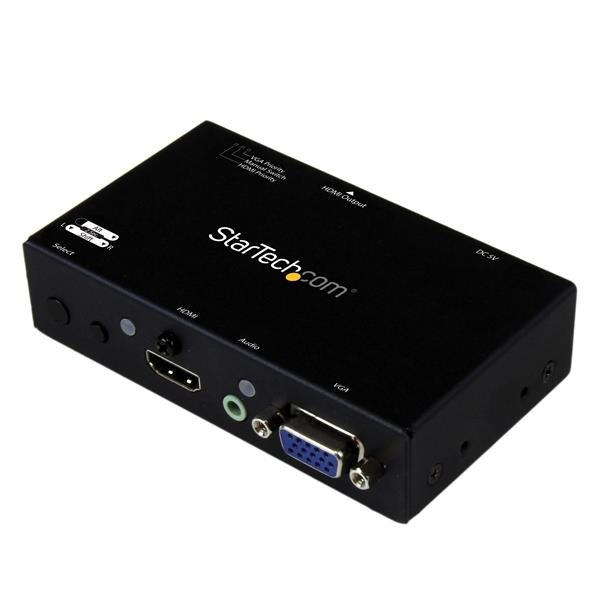
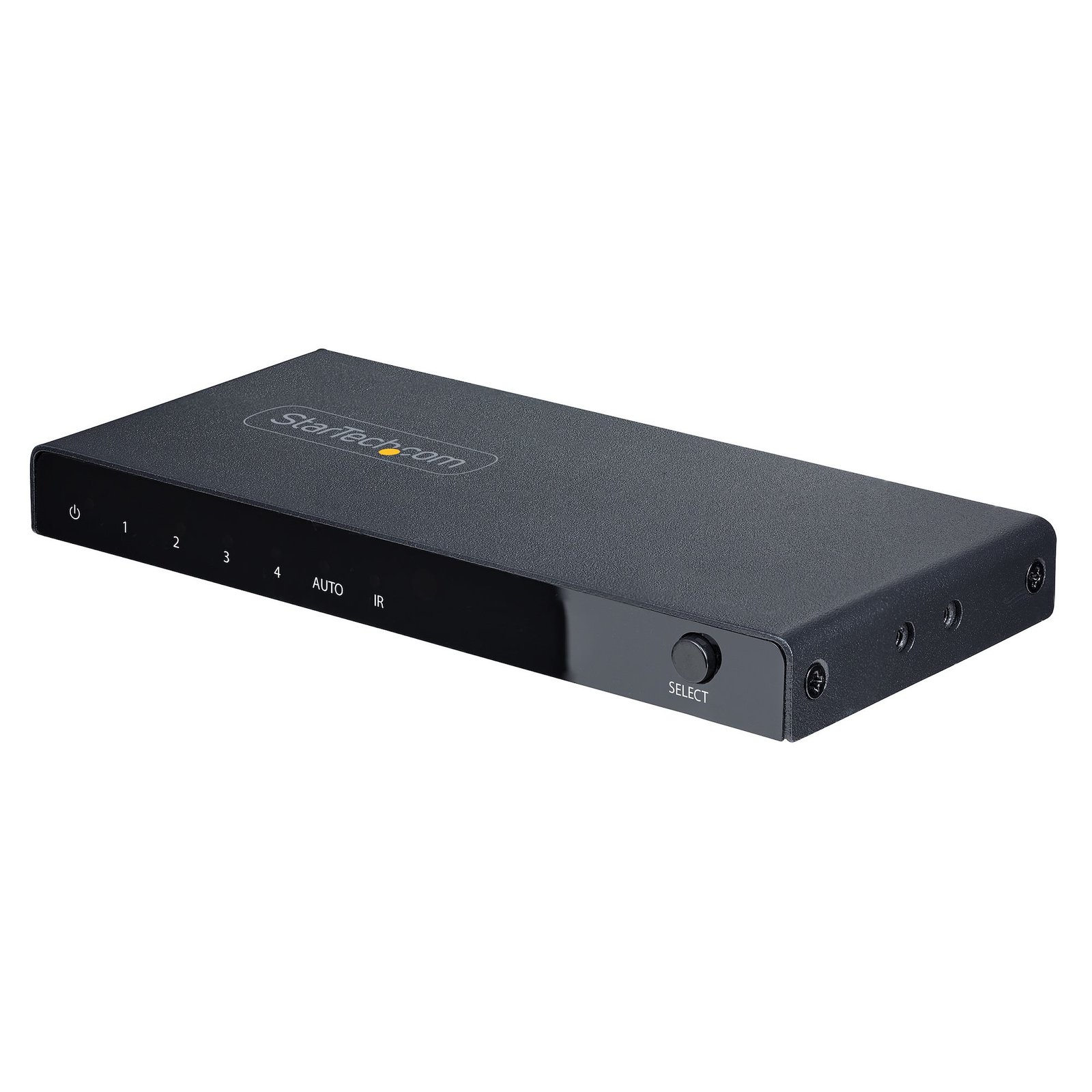
The VS221VGA2HD HDMI & VGA Auto Switch lets you connect an HDMI and a VGA audio/video source to the same HDMI display or projector, and automatically or manually switch between which video source is displayed. The multi-input A/V switch supports video resolution up to 1920x1200 (1080p) and includes mounting hardware for a tidy professional installation.
One Switch for VGA and HDMI
The A/V switch features built-in VGA conversion, enabling you to connect an HDMI and a VGA video source to the same HDMI display without the use of additional adapters or scalers.
Effortless Control
The VS221VGA2HD ensures hassle-free operation with two different auto switching modes: automatic switching that detects and selects a newly connected device, as well as priority selection which lets you choose which port should be activated by default for automatic switching.
Focus on the Presentation, Not Boardroom Connections
This A/V switch has been designed with the boardroom and classroom in mind: the VS221VGA2HD features VGA and HDMI inputs to support a wide range of devices, and the built-in converter makes it easy to connect to the room’s display without the use of additional adapters. Plus, automatic switching encourages on-the-fly collaboration among students or co-workers, by making it easy to share your projector between multiple source devices.
If you are looking for a similar device with VGA output, please see our VS221HD2VGA.
The VS221VGA2HD is TAA compliant and backed by a StarTech.com 2-year warranty, and free lifetime technical support.
Product Specifications
Manufacturer
Startech.com
Manufacturer Part Number
VS221VGA2HD
GTIN / Barcode
0065030858427
Brand Name
StarTech.com
Product Name
StarTech.com 2x1 HDMI + VGA to HDMI Converter Switch w/ Automatic and Priority Switching – 1080p - TAA
Mfr. Part Number
VS221VGA2HD
GTIN / Barcode
0065030858427
Ports & interfaces
Video port type
HDMI/VGA
HDMI in
1
Number of HDMI outputs
1
VGA (D-Sub) ports quantity
1
DC-in jack
Yes
Features
Product colour
Black
Rack mounting
Yes
Supported graphics resolutions
1920 x 1080 (HD 1080), 1920 x 1200 (WUXGA)
Supported video modes
1080p
LED indicators
Yes
Maximum resolution
1290 x 1200 pixels
External power adapter
Yes
Audio output channels
7.1 channels
Power
AC adapter input voltage
100 - 240 V
AC adapter input current
0.4 A
AC adapter output voltage
5 V
AC adapter output current
1 A
Power requirements
100 - 240 VAC, 0.4 A / 5 VDC, 2 A
Certificates
Certification
CE, FCC
Weight & dimensions
Weight
225 g
Dimensions (WxDxH)
54 x 102 x 29 mm
Packaging data
Package width
157 mm
Package depth
239 mm
Package height
66 mm
Package weight
657 g
Packaging content
Manual
Yes
AC adapter included
Yes
Mounting brackets included
Yes
Operational conditions
Operating temperature (T-T)
0 - 40 °C
Storage temperature (T-T)
-20 - 60 °C
Operating relative humidity (H-H)
0 - 80%
Technical details
Audio support
Yes
Compliance certificates
RoHS
Logistics data
Harmonized System (HS) code
85176990
Master (outer) case width
324 mm
Master (outer) case length
408 mm
Master (outer) case height
266 mm
Products per master (outer) case
12 pc(s)
Brand
StarTech.com
Availability
In Stock
Price Currency
USD
Category
Network Switches
Customer reviews
No reviews yet. If you have bought this,
yours would be the first.
We use cookies and similar technologies to operate our website, maintain security, remember preferences, analyze site performance, and improve your browsing experience. Some cookies are essential for website functionality, while others may support analytics and marketing activities. By selecting “Accept All,” you consent to the use of optional cookies. You may manage or reject non-essential cookies through your cookie settings at any time. Learn more